












Which Camera Should I Pick to Shoot Travel Videos?
Whether it’s in the form of a travel vlog, documentary, or something more cinematic, creating travel videos lets you tell a story about your experiences in an immersive way not possible with other forms of expression. A dedicated camera provides better image quality especially when filming in low light places, and choosing the right one for you could unlock many more benefits. Here’s our guide to choosing the best camera for travel videos, as well as some camera recommendations.
Narrow down your needs: 2 simple questions to ask yourself
The features that you will want to look out for when you pick a camera depends on the kind of content you want to create. Here are two questions to consider.
- Will you be filming yourself?
Filming yourself is quite different from filming from behind the camera—even the way you hold the camera would be different. Vlogging-friendly cameras are designed for easier front operation. For example, the PowerShot V10 and EOS R50 V have “Record” buttons accessible from the front!
Also look for special modes like Smooth Skin Video mode (which works as the name suggests), and Digital IS mode, which provides enhanced image stabilisation for smoother walk-and-talk videos.
We recommend:
- PowerShot V10
- PowerShot V1
- R50 V
- What’s your travel video approach and audience?
If your videos are for multiple social media platforms, features like aspect markers will help you compose shots for easier editing. If your style is more cinematic and involves more post-production work such as colour grading, you will probably want a camera with Canon Log recording.
Your shooting style will also affect the gear that works best for you. For example, do you need something small and discreet that you can take anywhere for run and gun, spur of the moment footage? Or do you usually plan your visuals carefully down to the kind of lens to use? Would you also be using the same camera to shoot stills?
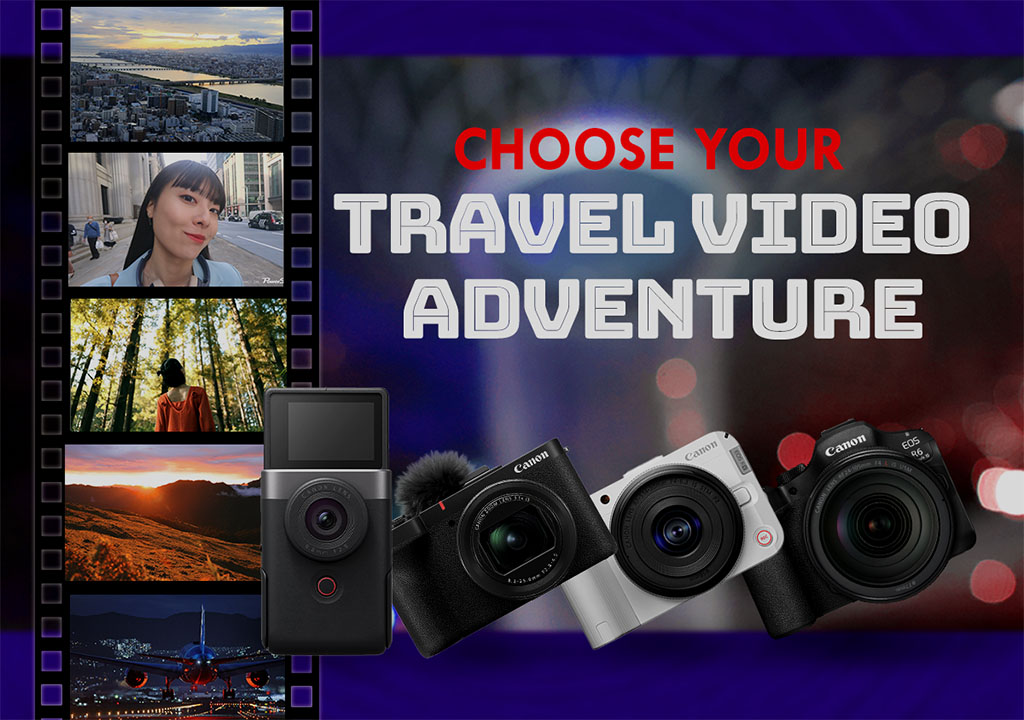
Our top recommended Canon cameras for travel videos are:
- PowerShot V10
- PowerShot V1
- EOS R50 V
- EOS R6 Mark III
The table below is a brief overview of their outstanding features. Read on or click into the links to learn more about each camera!
| Smallest and most portable | PowerShot V10 |
| Simplest operation | PowerShot V10 |
| Cameras with an integrated lens | PowerShot V10 PowerShot V1 |
| Dynamic range/low light capabilities (ranked) |
1. EOS R6 Mark III (full-frame) 2. EOS R50 V (APS-C) 3. PowerShot V1(1.4-type) 4. PowerShot V10 (1-inch) |
| Best for vlogging (Size and functionality) |
PowerShot V10 EOS R50 V PowerShot V1 |
| Best for vertical video | EOS R50 V |
| Best for advanced video workflows | EOS R50 V EOS R6 Mark III |
| Notable slow/fast motion capabilities | EOS R6 Mark III (4K 120p/FHD 180p with audio; Slow/Fast Motion Movie mode) EOS R50 V (FHD 120p with audio; Slow/Fast Motion Movie mode) |
| Supports RAW video | EOS R6 Mark III (internal 7K RAW) |
| Best workflow integration with Cinema EOS System | EOS R6 Mark III EOS R50 V |
| Dust- and drip-resistance | EOS R6 Mark III |
| Vari-angle LCD monitor | PowerShot V1 EOS R50 V EOS R6 Mark III |
| USB-C charging Wi-Fi/Bluetooth connectivity |
All cameras in this article |
Click here to skip to our Key Features Comparison Tables
1. PowerShot V10: Easy point and shoot vlogging
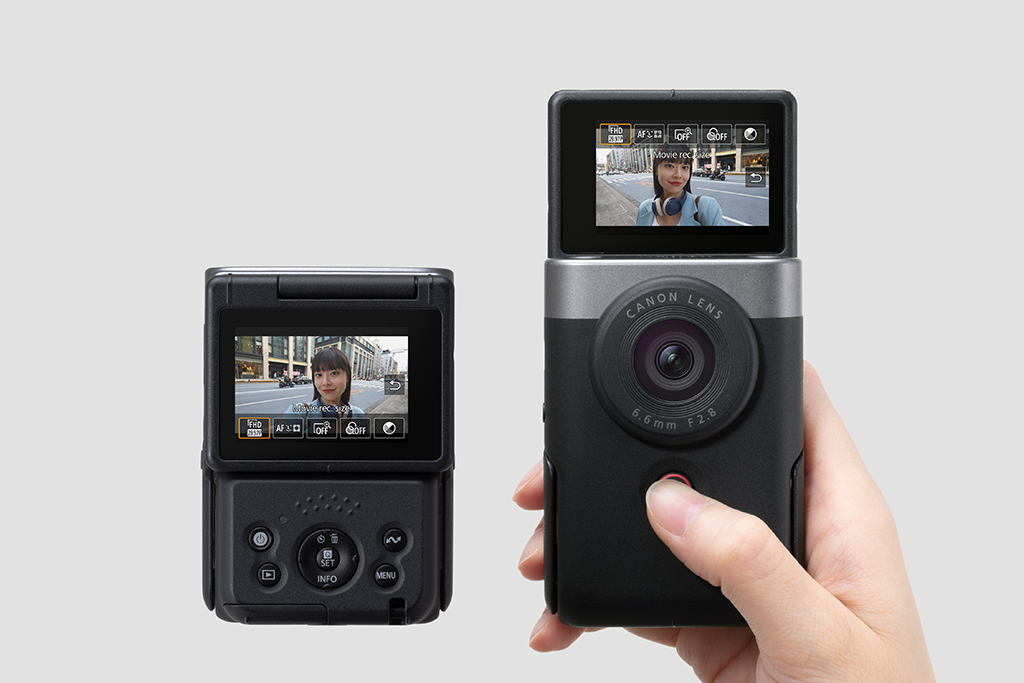
The PowerShot V10 provides the essentials of a vlogging camera within an innovative, ergonomic design that also happens to be tiny and discreet. Smaller than a traditional compact camera, it is made to be comfortable to hold for long periods of handheld selfie recording.
Even its 19mm full-frame equivalent lens was specially picked because it provides the optimal angle of view for selfie videos. Perfect for candid vlogs in the Disneyland crowd, or sharing the sights and sounds of your jeepney journey.
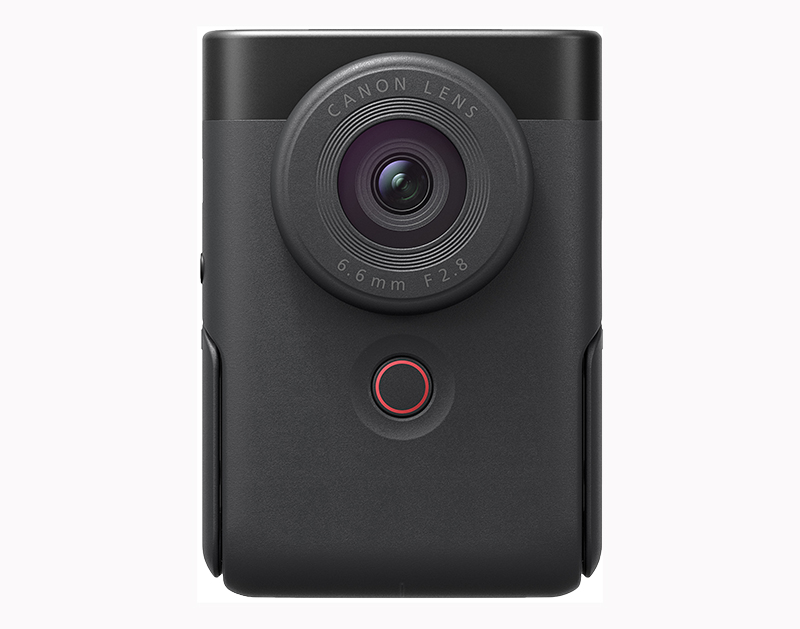
PowerShot V10: Other notable features
- 1-inch type CMOS image sensor
- Large built-in omnidirectional microphone
- 4K 30p recording
- Livestreaming support
- Face-tracking AF
- Built-in 3-stop ND filter
- 14 movie colour filters
- 14 aspect markers
- 15.2MP still JPEG pictures


Want to showcase what’s for dinner but got no space for a tripod? Simply unfold the PowerShot V10’s integrated adjustable kickstand and place it on the table.
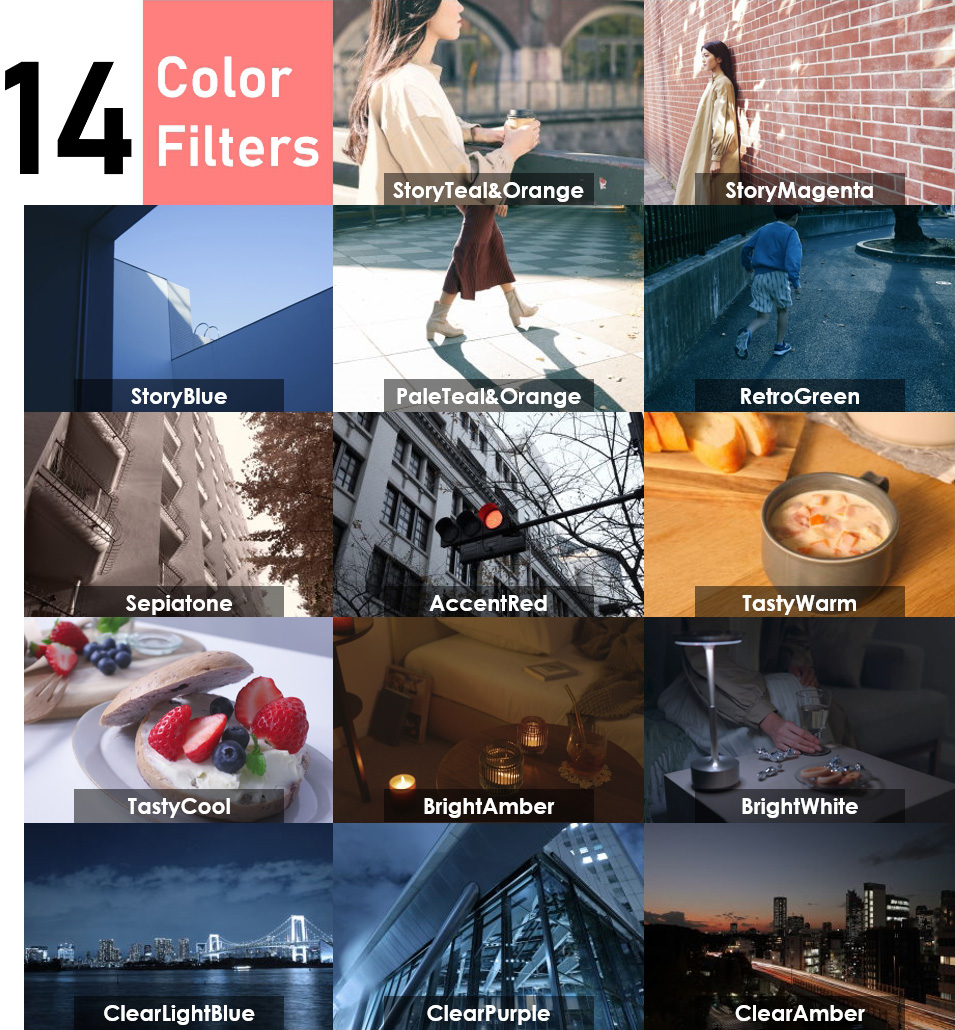
The PowerShot V10, PowerShot V1, and EOS R50 V have 14 Color Filters that change the vibe of your videos on the spot.
2. PowerShot V1: Portability + performance
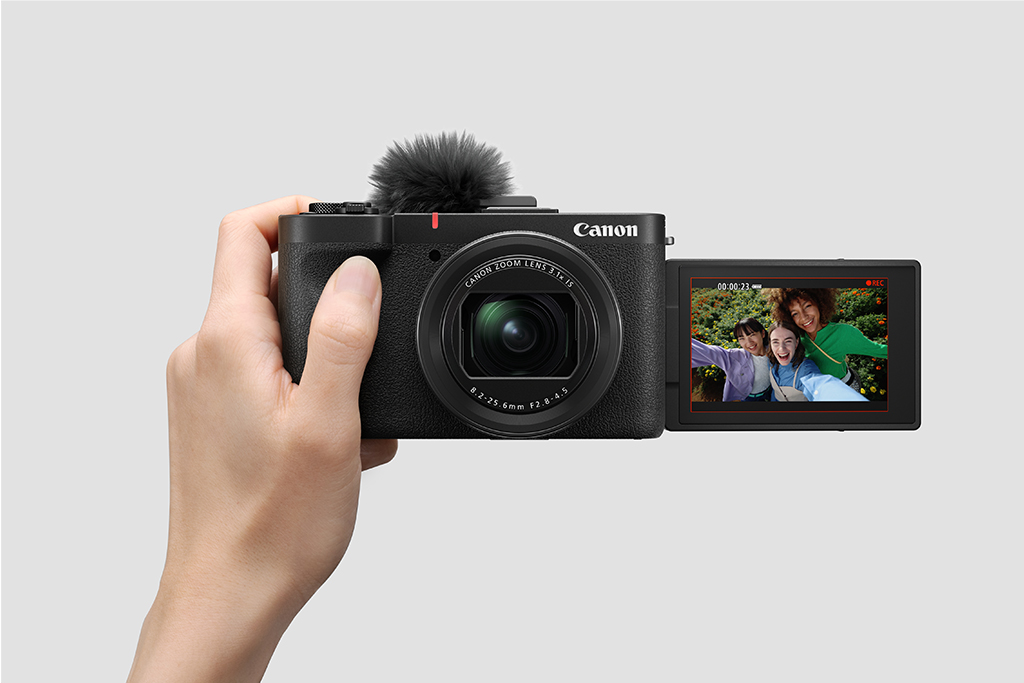
If you like the idea of a simple, portable compact camera but prefer a little more creative control, choose the PowerShot V1. With its large 1.4-inch image sensor, which is bigger than the 1-inch sensor on most zoom lens compact cameras, you’ll get beautiful, high quality on-the-go footage of your travel stories, straight out of the camera: anytime, anywhere, whether you’re sharing sweeping views of Mount Fuji or doing a walkthrough of a gritty back alley.
Diversify your angles with the versatile 17-52mm equivalent ultra-wide-angle zoom lens and fully articulating LCD monitor. If colouring in the mood is your vibe, you can choose to either lock it in on the spot with one of the 14 Color Filters, or shoot in 10-bit Canon Log 3 and colour grade later.
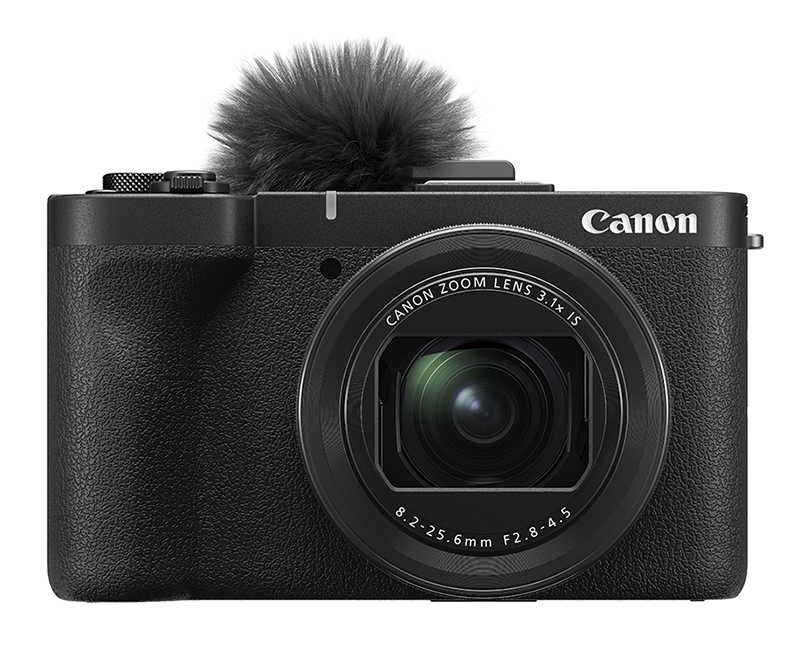
PowerShot V1: Other notable features
- 22.3-megapixel 1.4-inch sensor
- Integrated zoom lens (Video: 17-52mm equivalent)
- 4K 60p (cropped); uncropped high-quality 4K 30p with 5.7K oversampling
- Dual Pixel CMOS AF II for PowerShot
- 3-stop ND filter (stills and video)
- Subject Tracking IS
- Built-in cooling fan
- Bundled windscreen
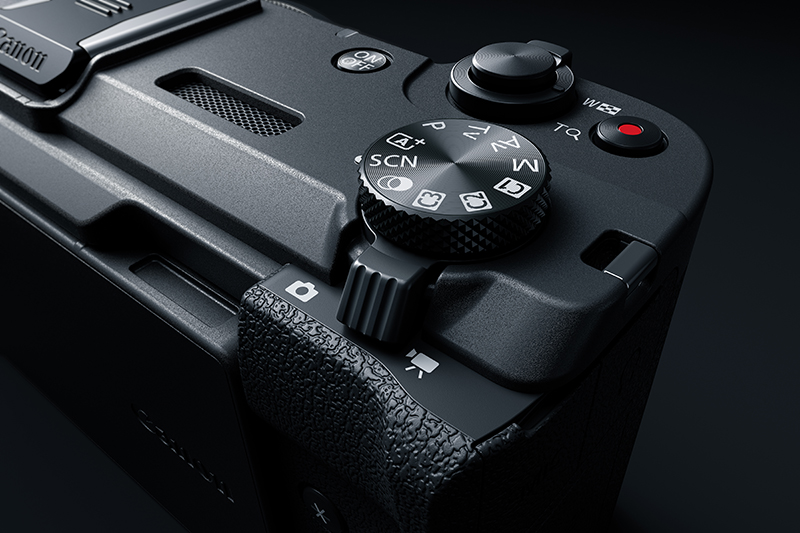
The PowerShot V1’s buttons are designed to allow easy one-handed operation whether you are behind the camera o in front of it. To toggle between videos and stills, simply flip of the Photo/Video switch! The familiar controls and menus make it the perfect secondary camera to your existing EOS R mirrorless camera or DSLR.
3. EOS R50 V: For the video native
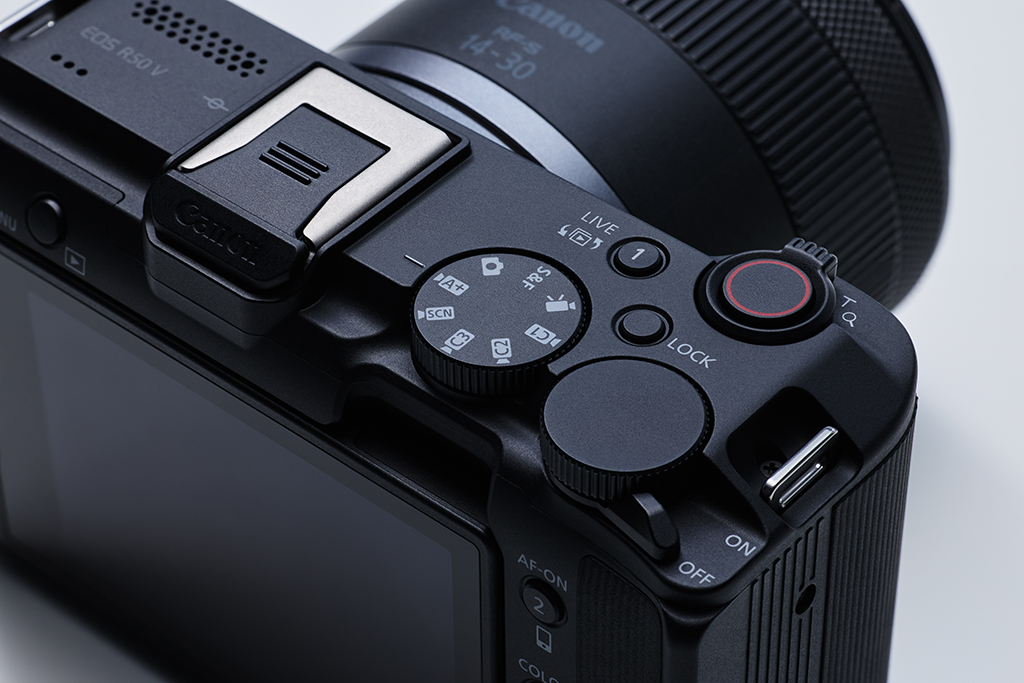
If video is your native language, the innovative EOS R50 V has the best mix of features to realise your creative vision.
The settings and functions you want are within easy reach, with buttons and dials that give direct access to video functions and a vertical tripod mount for social media-friendly vertical shooting. Screw on your choice of lens and infuse your own flair into your dynamic adventures at Songkran or street food adventures in Seoul with a flip of the button, whether that means a cinematic look on the spot with Cinema View Mode, or the S&F mode’s slow/fast motion options.
With support for Canon Log 3, custom LUTs, and the Cinema EOS System’s Custom Pictures, as well as the industry-standard XF-AVC S and XF-HEVC S recording formats, it caters seamlessly to advanced production workflows. Perfect for elevating your content—whether it’s a cinematic travel montage, a new YouTube series, or your first branded travel documentary.
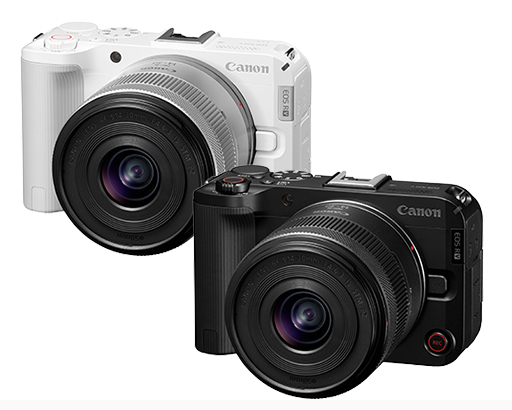
*Pictured with RF-S14-30mm f/4-6.3 IS STM PZ kit lens. Body-only option available. Availability of white model depends on region.
EOS R50 V: Other notable features
- 24.2-megapixel APS-C sensor
- Compatibility with over 40 RF/RF-S lenses
- 4K 60p (cropped); cropless high-quality 4K 30p oversampled from 6K
- FHD 120p with audio
- Up to 60x fast motion/5x slow motion
- Supports 4K 60p livestreaming, 4 different ways to livestream
- 4-channel audio recording
- 4 Custom White Balance modes
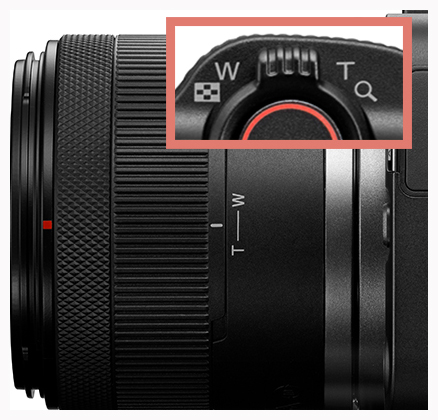
The EOS R50 V features a zoom lever for smooth power zooming with the RF-S14-30mm f/4-6.3 IS STM PZ kit lens—and any future similar lenses. The fast/slow zoom speeds are configurable up to 15 speed levels each.
You can also choose to use any of the over 50 RF/RF-S lenses and RF-mount cinema lenses, or EF-mount lenses with the EF-EOS R mount adapter. The EOS R50 V also supports the RF-S3.9mm f/3.5 STM Dual Fisheye for simple high quality 3D stereoscopic VR content creation.
Learn more about the differences between EOS R50 V and PowerShot V1 in:
EOS R50 V vs. PowerShot V1: How are They Different?
4. EOS R6 Mark III: Cinematography on the go
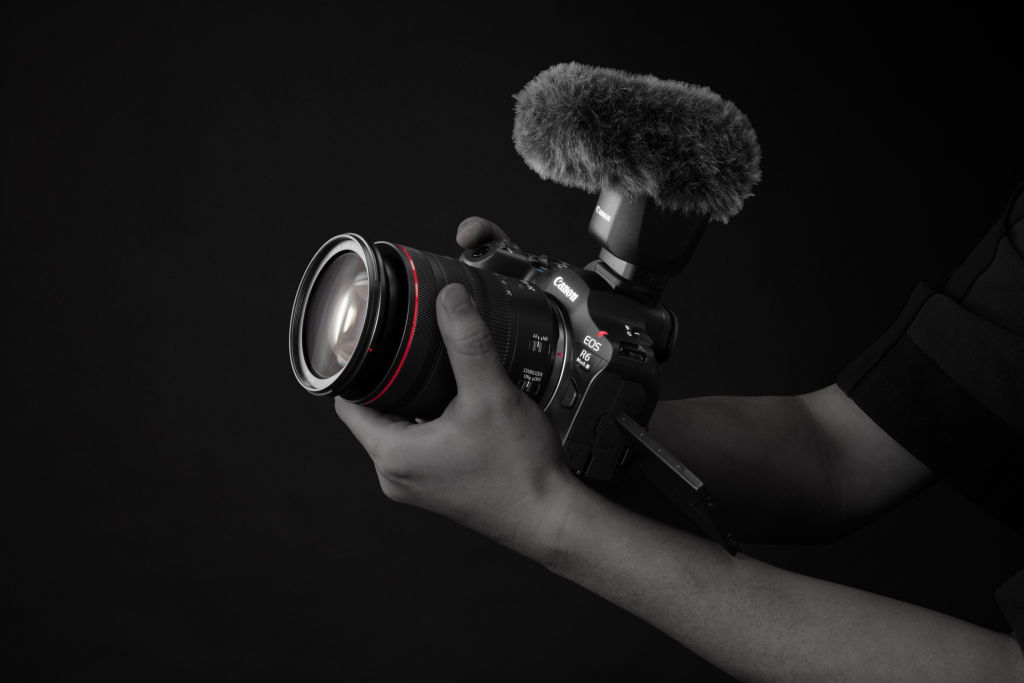
For the widest range of video possibilities, choose the EOS R6 Mark III. Its 32.5-megapixel full-frame sensor allows you to maximise ultra-wide-angle lenses like the RF10-20mm f/4L IS STM—perfect for breathtaking shots of sweeping vistas and capturing the atmosphere of small but charming local spaces.
Packed with advanced features, the camera provides better control over visuals than the EOS R50 V. Top on the list is internal 7K 60p RAW video recording, which provides a robust file you can colour grade and VFX to satisfaction while maintaining image quality.
It also features 7K 30p Open Gate (3:2 full sensor) shooting, which records using the full sensor area for greater cropping flexibility; and Canon Log 2, which retains more shadow details for colour grading compared to Canon Log 3. Slow motion is supported up to 4K 120p or Full HD/2K 180p, and there are four different modes for straight-out-of-camera HDR video.
Flip the switch from “VIDEO” to “PHOTO” mode to unleash one of the EOS R system’s fastest, most powerful still photography cameras.
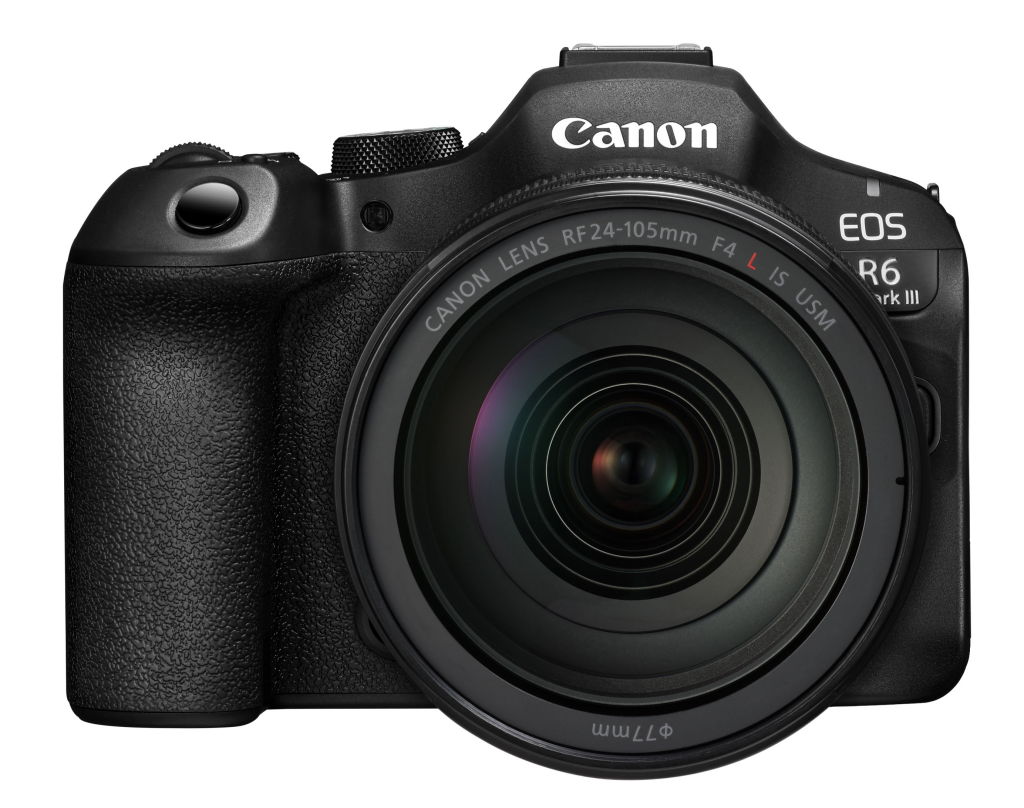
With RF24-105mm f/4L IS USM kit lens
EOS R6 Mark III: Other notable features
- 32.5-megapixel full-frame CMOS sensor
- 7K 60p internal RAW video recording
- 7K 30p Open Gate recording (RAW/MP4)
- In-Body Image Stabilisation
- CF Express Type B + SD UHS-II
- Canon Log 2/ Log 3
- Dust- and drip-resistant build
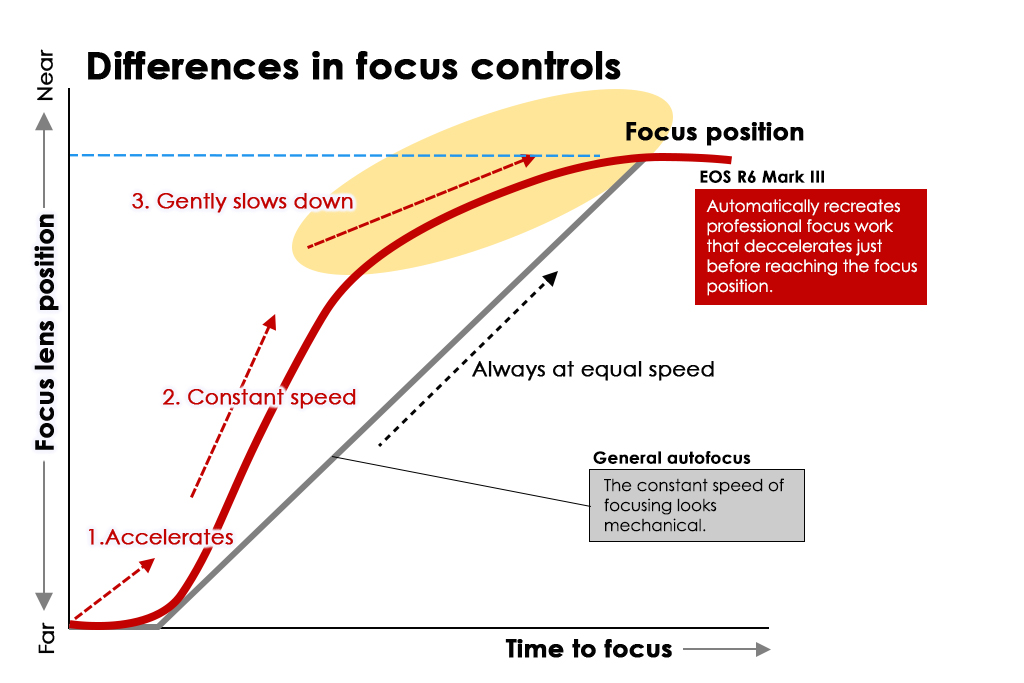
Focus transitions like a pro
The EOS R6 Mark III adopts the focus acceleration/deceleration algorithm found in the Cinema EOS C400/C50, allowing smooth, professional-looking focus transitions that will elevate your travel film. It’s easier to check focus during recording—just magnify the view!
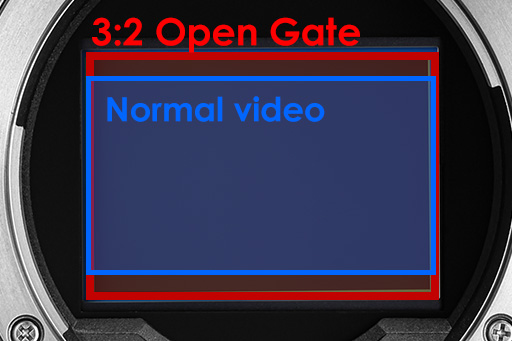
7K 30p Open Gate shooting records video using the entire image sensor, unlike normal video shooting, which doesn’t use the full sensor height. This gives more freedom to repurpose your footages for different platforms, whether it’s normal 16:9, social media-friendly 9:16, or something else altogether.
Comparison of key video features
Basics
| V10 | V1 | R50 V | R6 Mark III | |
| Sensor | 1 inch | 1.4 inch | APS-C | Full-frame |
| Max resolution | 4K UHD 30p | 4K UHD 60p (cropped) Oversampled 4K 30p (uncropped) |
7K 60p RAW 7K 30p RAW 3:2 (Open Gate) |
|
| Lens | Built-in fixed 19mm equiv. f/2.8 |
Built-in zoom 17-52mm equiv. f/2.8-4.5 |
Interchangeable lens (RF/RF-S mount) |
|
| EVF | - | - | - | ● |
| Image stabilisation | Digital | Lens Optical IS/ Digital |
Digital | In-Body IS/ Digital |
| Autofocus | Contrast AF | Dual Pixel CMOS AF II for PowerShot | Dual Pixel CMOS AF II | |
| Still shooting | JPEG only Basic features |
JPEG/ HEIF/ RAW Full still shooting features |
||
| Dimensions (approx.) (W x H x D) |
63.4×90×34.3mm | 118.3×68.0×52.5mm | 119.3×73.7×45.2mm | 138.4×98.4×88.4mm |
| Weight (approx.*) |
211g | 426g | Black: 370g White: 373g |
699g |
| Batteries | Built-in | LP-E17 | LP-E17 | LP-E6P |
*With batteries and memory card
Vlogging/Livestreaming features
| V10 | V1 | R50 V | R6 Mark III | |
| Smooth skin movie | ● | ● | ● | ● |
| Movie IS mode | ● | ● | ● | ● |
| Movie for Close-up Demo | - | ● | ● | ● |
| UAC/UVC | up to Full HD 30p | up to 4K 60p (cropped) | up to 4K 60p | |
| Livestreaming support | ● | ● | ● | ● |
| Live Switcher Mobile App | - | ● | ● | - |
Convenient/ creative modes and features
| V10 | V1 | R50 V | R6 Mark III | |
| 4K time lapse movies | - | ● | ● | ● |
| Color filters | ● | ● | ● | ● |
| Movie creative filters | - | ● | - | - |
| Slow motion mode* | - | FHD 120p | 4K 120p | |
| Slow motion with audio** | - | - | FHD 120p | 4K 120p |
| Fast motion | - | ● | ● 1 fps/ S&F mode |
● 1 fps/ S&F mode |
| Movie pre-recording | - | - | - | ● |
| Built-in ND filter | ● | ● | - | - |
* Out of camera slow motion (Records with high frame rate, saves and plays back at a lower frame rate.)
**Records and outputs in high frame rate. Achieve slow motion video through post-processing.
For advanced workflows
| V10 | V1 | R50 V | R6 Mark III | |
| Canon Log 2 | - | - | - | ● |
| Canon Log 3 | - | ● | ● | ● |
| HDR video | - | ● PQ |
● PQ/HLG HDR PQ |
● PQ/HLG HDR PQ HDR movie mode |
| Custom Picture/LUT | - | - | ● | ● |
| False colours | - | - | ● | ● |
| Zebra display | - | ● | ● | ● |
| Waveform monitor | - | - | - | ● |
| Simultaneous video recording | - | - | - | ● |
| Video format | Traditional MP4 (IPB) |
XF-AVC S XF-HEVC S |
||
Audio, connectivity, and interfaces
| V10 | V1 | R50 V | R6 Mark III | |
| Audio | AAC | LPCM 16-bit 2CH |
LPCM 24-bit 4CH |
|
| Headphone terminal | - | ● | ● | ● |
| External microphone inputs | 3.5mm jack | 3.5mm jack 21-pin multi-function shoe |
||
| HDMI Out | Type D (Micro HDMI) |
Type A (Standard HDMI) |
||
| Wi-Fi | 2.4GHz | 5GHz/2.4 GHz | ||
| Card slots | 1 x SD UHS-I | 1 x SD-UHS II | 1 x SD-UHS II | 1 x CFexpress Type B 1 x SD-UHS II |
| Hot shoe | - | 21-pin multi-function shoe | ||