











Much attention has been focused on the PowerShot V1’s video capabilities—it is, after all, Canon’s flagship video-centric compact camera. However, it is also a very capable stills shooting camera, armed with a large 1.4-inch sensor, up to 30 fps high-speed continuous shooting, and many features also found on Canon’s EOS R mirrorless camera series. Street photographer Ikuko Tsurumaki shares her experience with the camera, highlighting six aspects she tested. (Reported by: Ikuko Tsurumaki, Digital Camera Magazine)
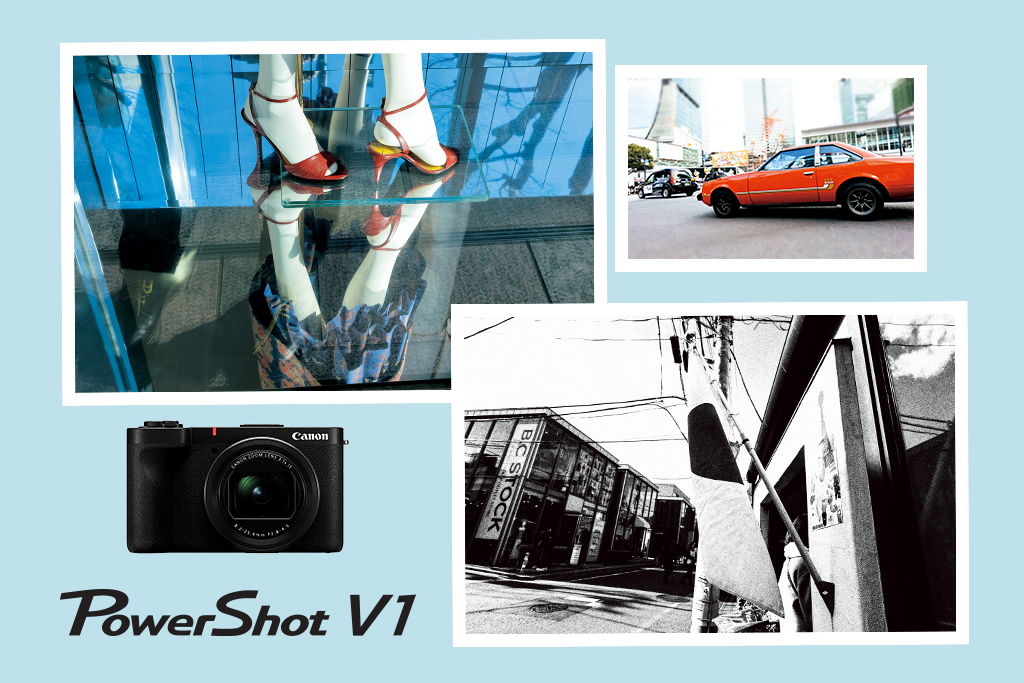
Features and image quality that will inspire your street and urban snaps
Here in Japan, the advertising tagline used for the PowerShot V1 is “これひとつ。それでいい”, which translates roughly to “Just this one. That’s enough”. I think that sums up the camera perfectly. While much attention has been given to its ample video functionality, it is also armed with excellent still shooting features and should be sufficient for covering many creators’ still and video content creation needs. Evaluating it from a photographer’s point of view, I found the PowerShot V1 satisfying to use. Capability and feature-wise, it’s easy to forget that the PowerShot V1 is a compact camera!
In this review, I focus on six aspects that caught my attention.
1. Exterior and handling
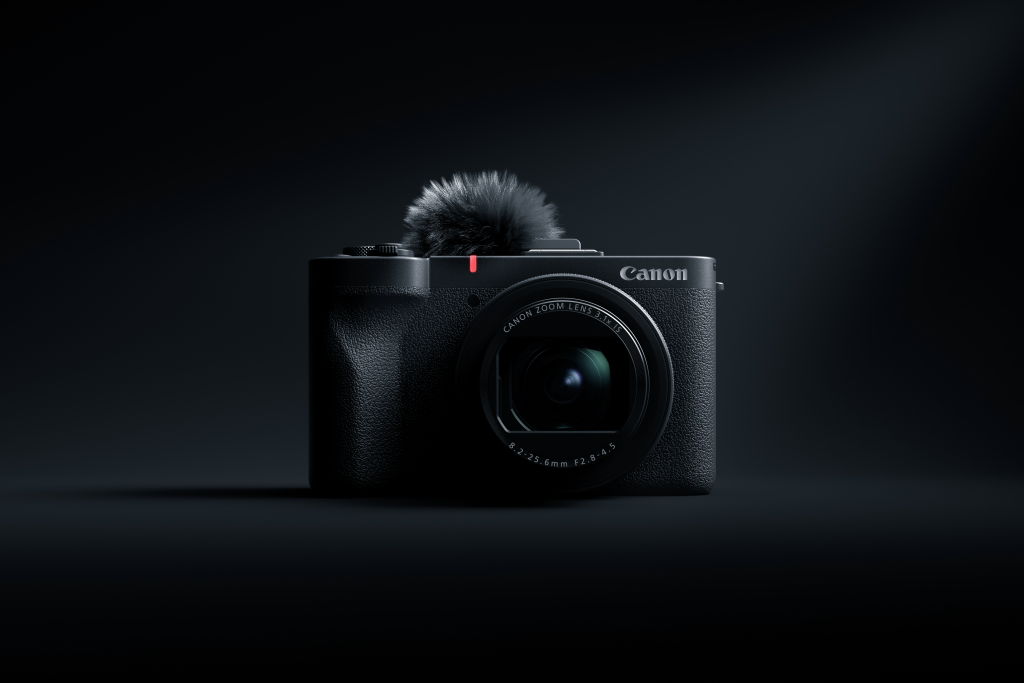
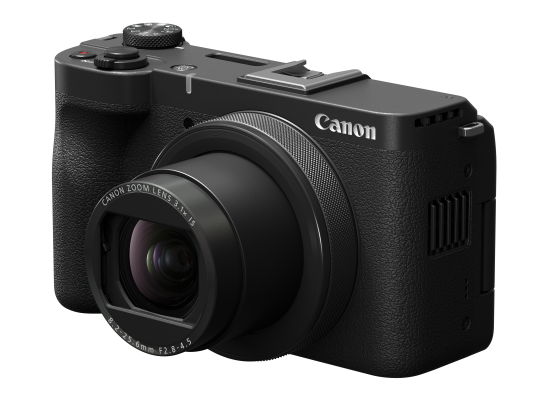
The PowerShot V1’s exterior design is simple yet classy. Its grip provides an amazingly comfortable yet solid hold on the camera, being ergonomically designed to ensure a secure hold even when you’re pointing the camera at yourself for selfies or vlogs.
If you use other Canon cameras, you will find the top and rear panel button layout familiar.
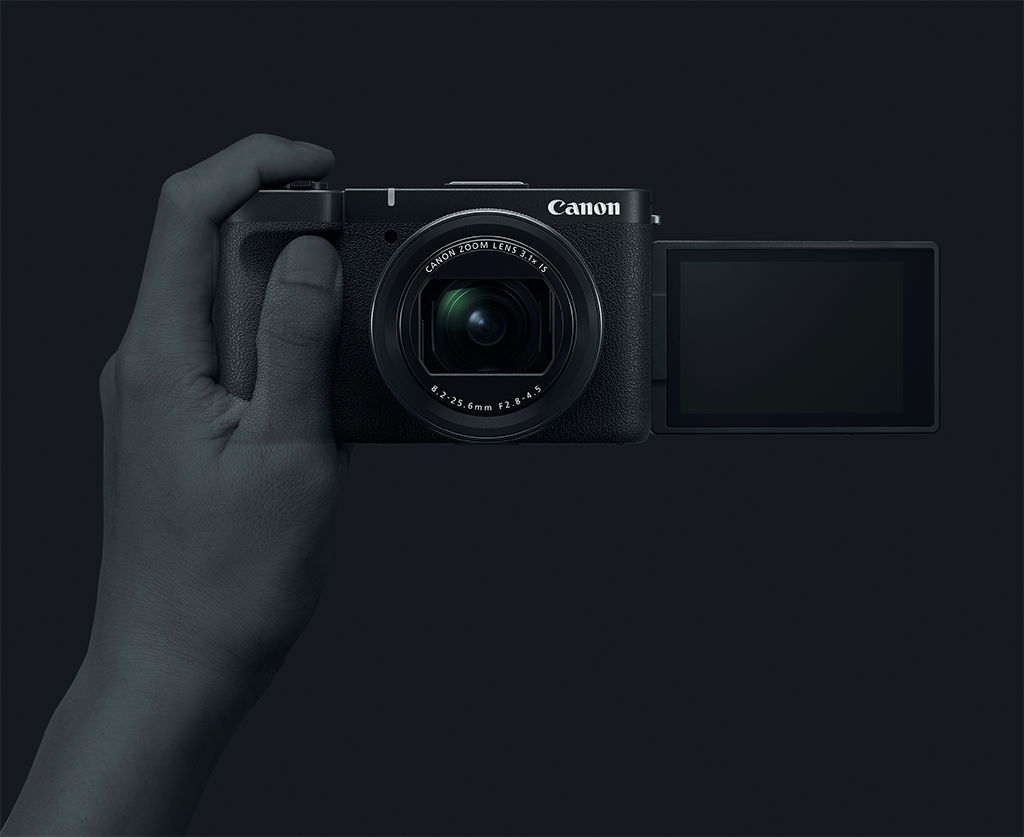
When holding the camera for selfies, the shape of the grip allows your left thumb to rest in a way that holds the camera securely.
2. Zoom range: is it sufficient?
The PowerShot V1 has an 8.2mm to 25.6mm focal range, which, with its 1.4-inch sensor, translates to 16 to 50mm in full-frame equivalent terms. It’s not exceptionally wide, but I often shoot at 35mm and 50mm, so it didn’t really bother me. There’s a 1.4x crop mode that achieves up to 71mm equivalent for the occasions where you feel you need something a little longer.
Wide end: 16mm equivalent
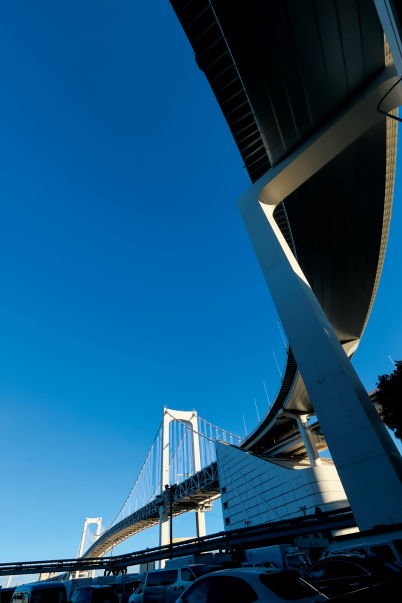
PowerShot V1/ 8.2mm (16mm equivalent)/ Aperture-priority AE (f/11, 1/160 sec, EV-1)/ ISO 125/ WB: Daylight
The 16mm equivalent widest end tempted me to photograph bridges. This was taken from right under Rainbow Bridge in Odaiba. The ultra-wide angle emphasises the bridge’s curves and the depth of the scene, creating an impactful shot.
20mm
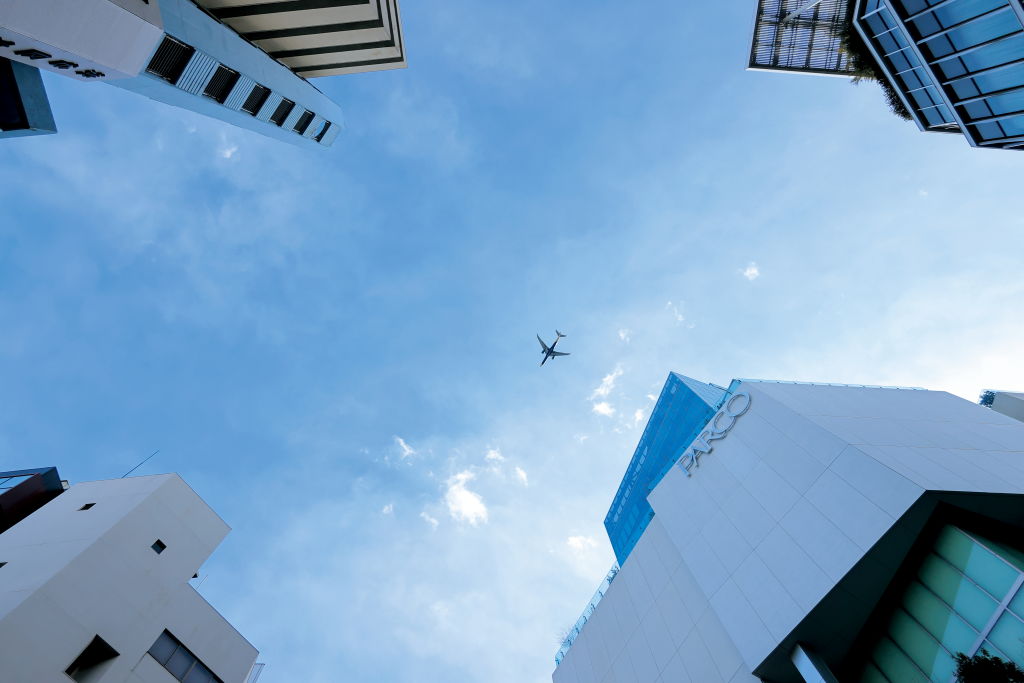
PowerShot V1/ 10mm (20mm equivalent)/ Aperture-priority AE (f/3.2, 1/2000 sec, EV-0.7)/ ISO 320/ WB: Auto
Planes fly over Shibuya when the southerly winds are blowing. I happened to be shooting at the PowerShot V1’s wide end, and a nudge of the zoom lever was all it took to achieve the framing I wanted. A shot with the buildings alone would have looked dull, but including the blue sky brightened the image and made it look more uplifting.
Tele end: 50mm equivalent
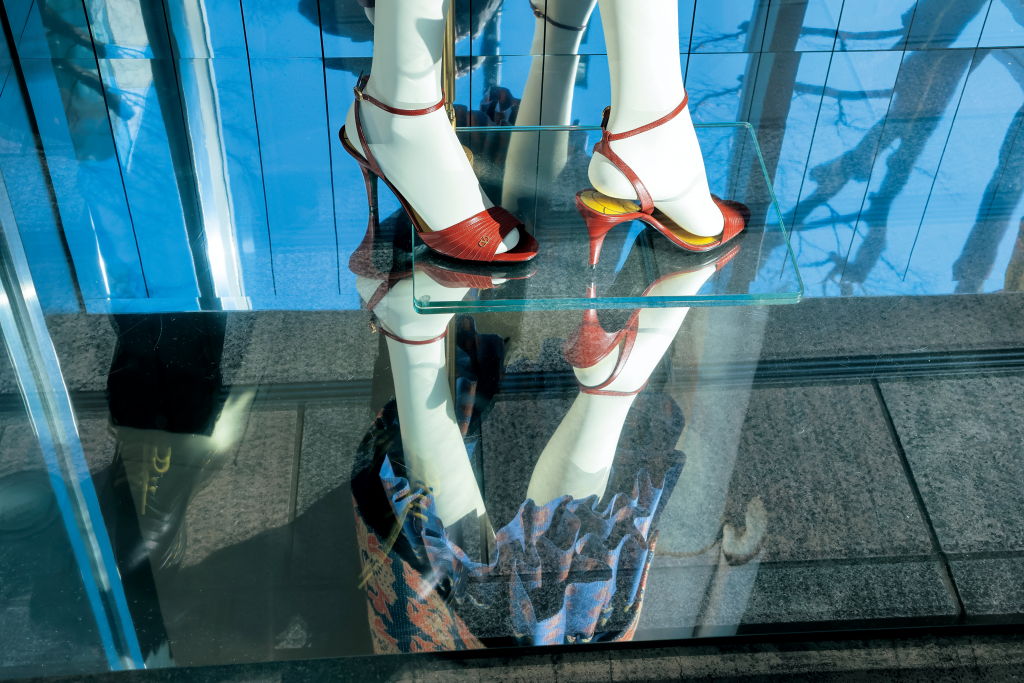
PowerShot V1/ 25.6mm (50mm equivalent)/ Aperture-priority AE (f/8, 1/200 sec, EV-0.3)/ ISO 100/ WB: Daylight
The shop window displays of Omotesando, well known for its high fashion, are always a sight to behold. The flooring in this shop reflected the blue sky, making the red heels on the mannequin stand out through the power of complementary colours. I decided to use a split composition to create a surreal image. The 50mm equivalent angle of view felt the most natural.
3. High ISO speed performance in low light
One of the highlights of the PowerShot V1 is its 1.4-inch sensor, which has a light-gathering area double that on the 1-inch sensors found on most compact cameras and premium smartphones, promising better image quality and clarity even in low-light scenes.
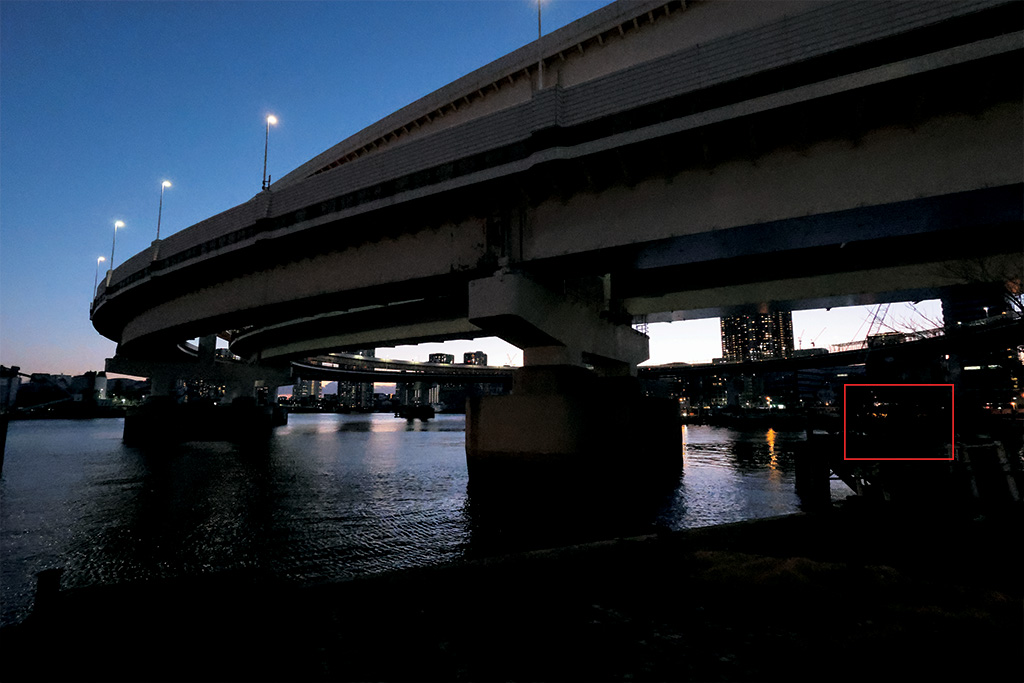
PowerShot V1/ 8.2mm (16mm equivalent)/ Aperture-priority AE (f/5.6, 1/60 sec, EV0)/ ISO 12800/ WB: Auto
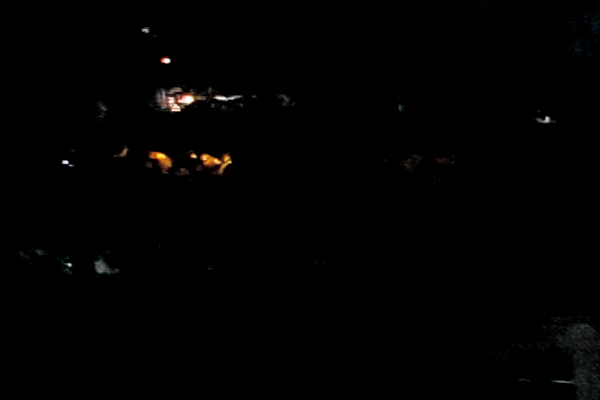
Cropped from above
As the image above shows, there’s no obvious colour noise in the dark areas even at ISO 12,800.
4. Up to 30 fps shooting with subject detection and tracking
The PowerShot V1 boasts a maximum continuous shooting speed of up to 30 frames per second (fps) even with subject detection and tracking. That puts it on par with Canon’s EOS R series cameras like the EOS R7.
With animal detection enabled, I tried it out on a Dalmatian—one of the most energetic, unpredictable dog breeds. The Eye Detection AF worked just as I expected, and I easily achieved a sharp sequence of the dog as it ran around, from which I could choose my favourite frame.
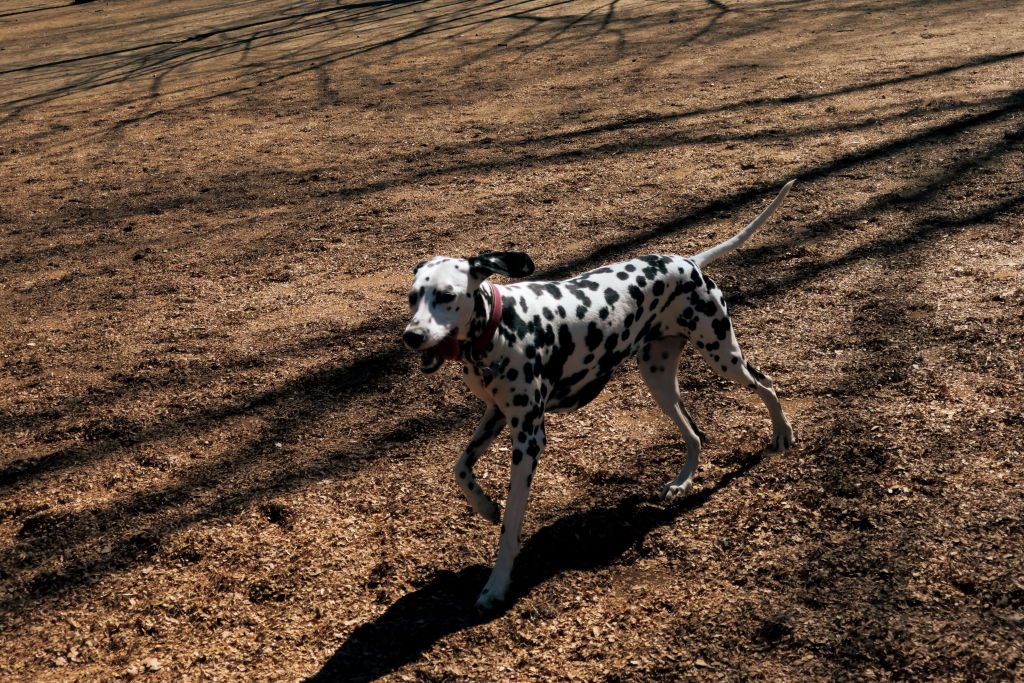
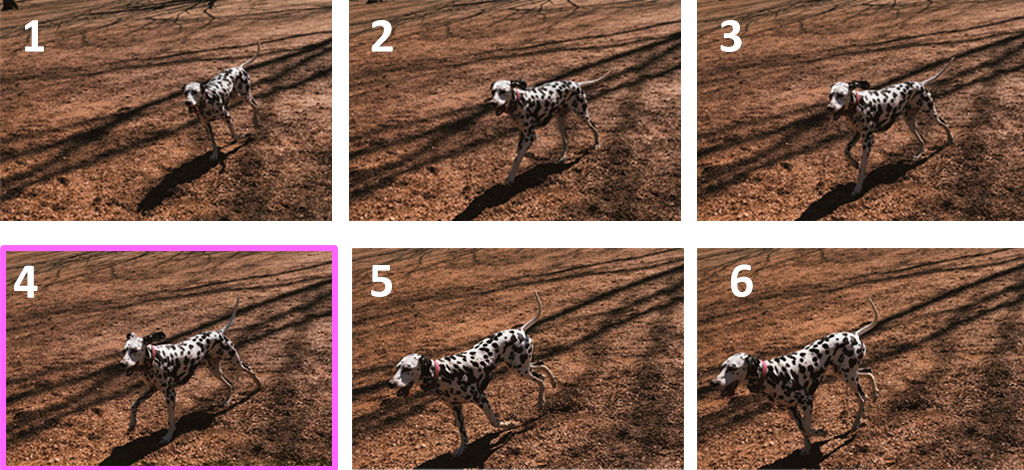
PowerShot V1/ 25.6mm (50mm equivalent)/ Aperture-priority AE (f/4.5, 1/3200 sec, EV-0.7/ ISO 400/ WB: Auto
5. Shoot from as close as 5cm away
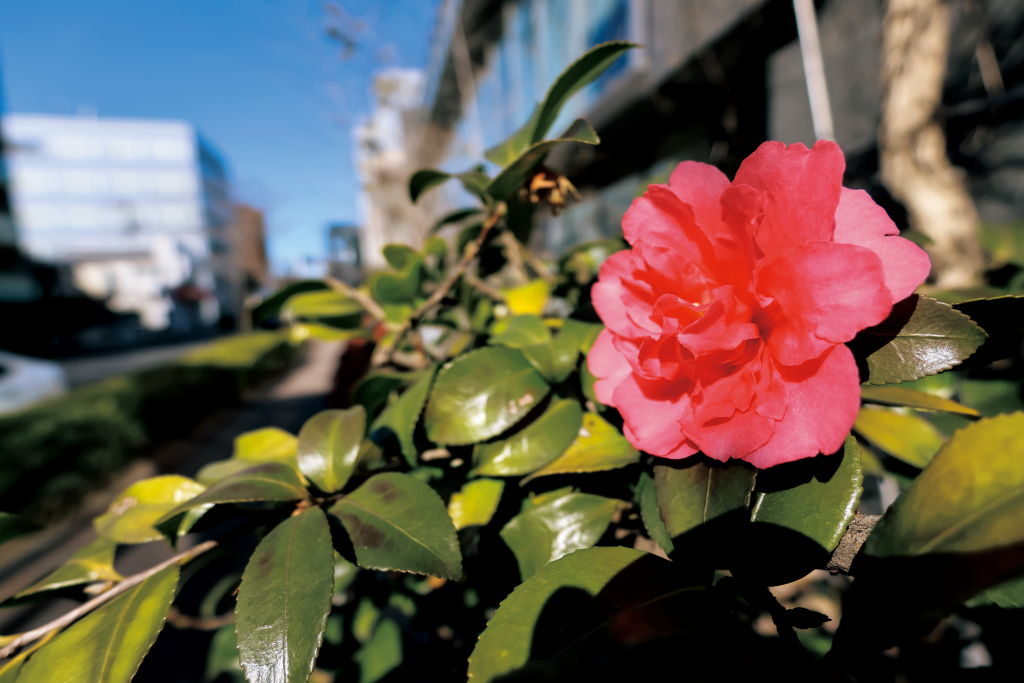
PowerShot V1/ 8.2mm (16mm equivalent)/ Aperture-priority AE (f/2.8, 1/2000 sec, EV-0.7)/ ISO 100/ WB: Auto
When zoomed out to its 16mm equivalent widest end, the PowerShot V1 achieves a closest focusing distance of 5cm. You can use this to shoot unique wide-angle closeups that include lots of background context even while making small subjects in the foreground appear large. The maximum aperture at that end is a wide f/2.8—perfect for achieving subject-background separation.
6. Fun Creative filters
In video mode, the PowerShot V1 has 14 Color filters that allow you to capture footage with various colour grading effects. While this is not available in photo mode, you do have the benefit of Creative filters. They are a fun way to make your photos look different, and can be applied both during the shoot and to images you have already shot. The latter is a good choice if you want to keep a copy of the original image without the effect.
For the following examples, the Creative filters were applied during in-camera post-processing.
Miniature effect
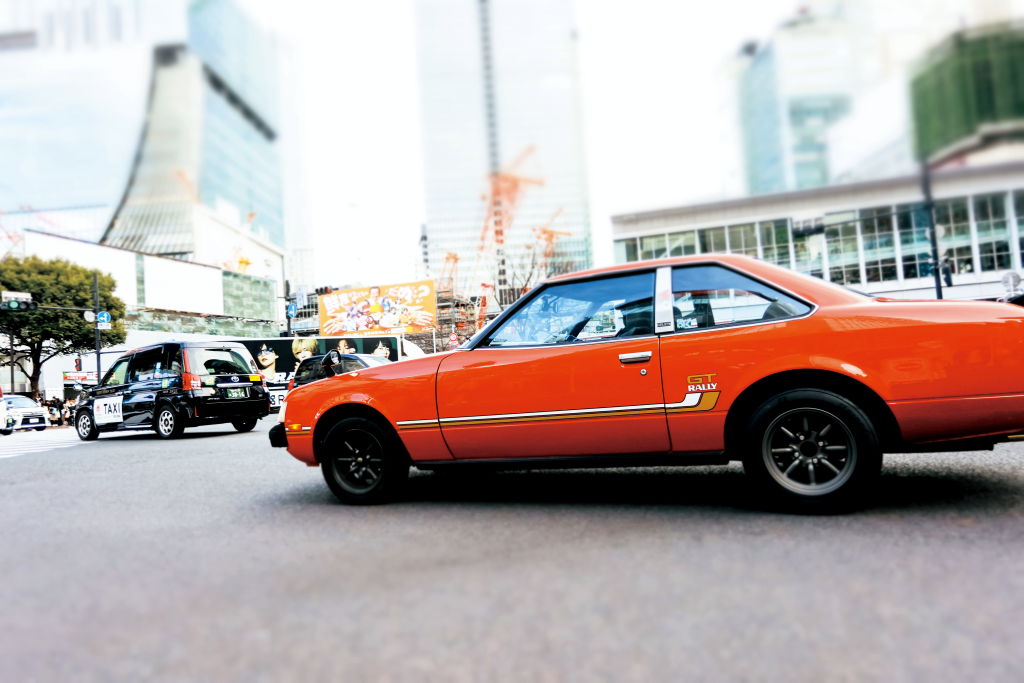
PowerShot V1/12mm (23mm equivalent)/ Aperture-priority AE (f/3.5, 1/500 sec, EV-0.3)/ ISO 400/ WB: Auto/ Creative filter: Miniature effect
The Miniature effect is most often used to make objects look like toys in a diorama, but you also get interesting results if you compose with the subject large in the frame. Here, I also increased the saturation in post-processing, which makes the image look even more distinctive.
Art bold effect
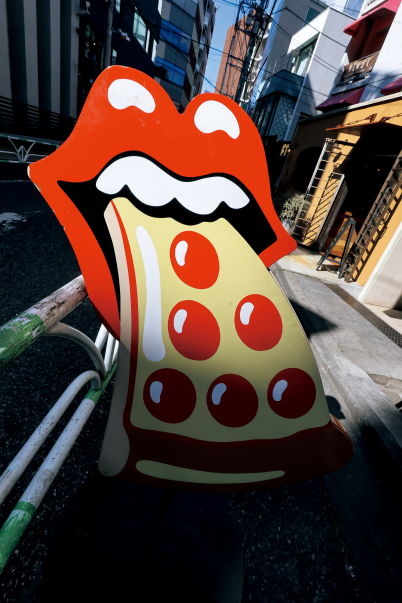
PowerShot V1/8.2mm (16mm equivalent)/ Aperture-priority AE (f/11, 1/160 sec, EV-0.3)/ ISO 100/ WB: Auto/ Creative filter: Art bold effect
The Art Bold effect is one Creative filter you’ll want to use for colourful scenes. Here, it has added impact this graphic sign, perhaps even made it look more unsettling. It probably is more suitable for manmade subjects and casual street snaps than for nature, but who knows? You might prove me wrong.
Toy camera effect
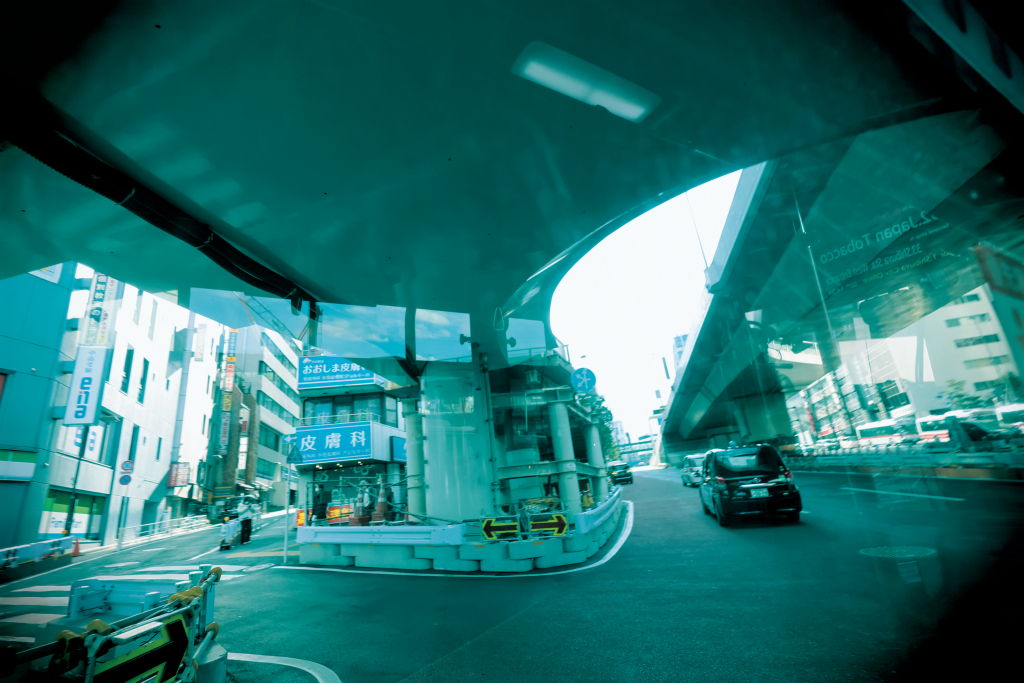
PowerShot V1/8.2mm (16mm equivalent)/ Aperture-priority AE (f/2.8, 1/160 sec, EV-0.7)/ ISO 100/ WB: Auto/ Creative filter: Toy camera effect
The Toy camera effect Creative filter gives scenes a nostalgic air by making images look like they were shot on a vintage film camera. The vignetting it adds to the corners draws your eyes to the centre of the frame.
Fisheye effect
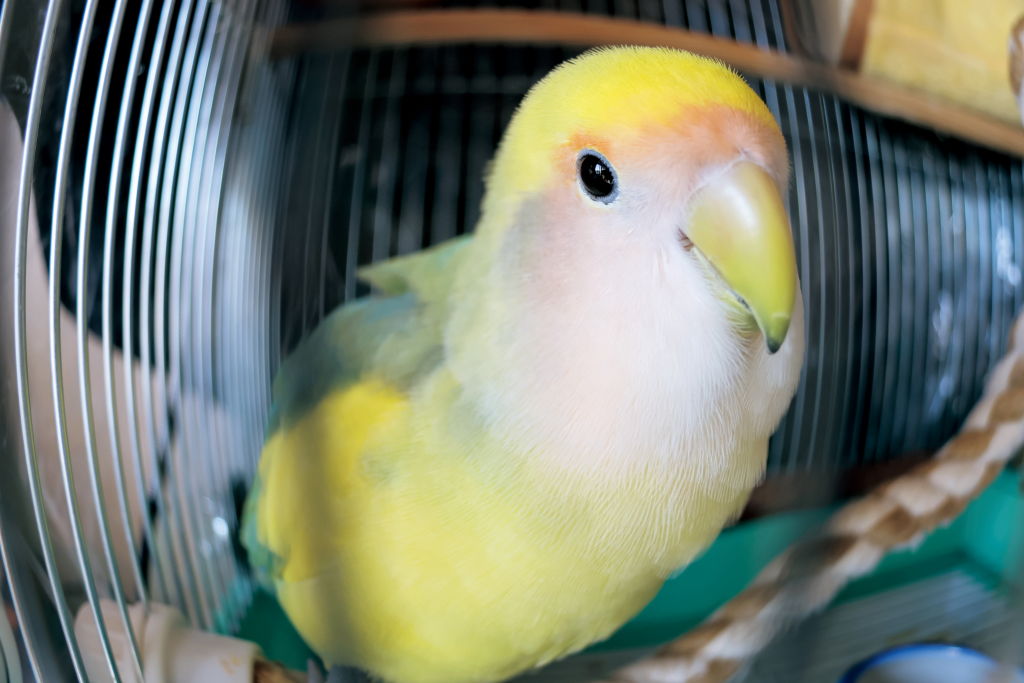
PowerShot V1/8.2mm (16mm equivalent)/ Aperture-priority AE (f/2.8, 1/100 sec, EV-0.7)/ ISO 160/ WB: Auto/ Creative filter: Fisheye effect
Applying the fisheye effect Creative filter to an image captured at the camera’s widest angle results in a very unique look. In the above example, it’s made the bird’s head and beak look disproportionately large, amplifying the cuteness!
Grainy B/W
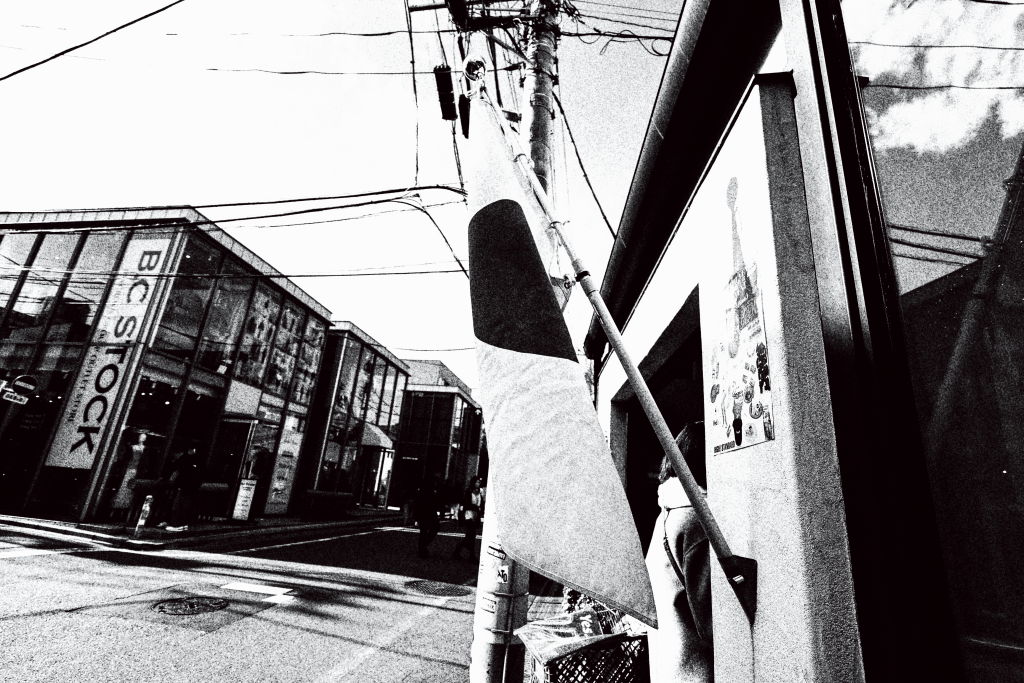
PowerShot V1/8.2mm (16mm equivalent)/ Aperture-priority AE (f/2.8, 1/2000 sec, EV-0.7)/ ISO 100/ WB: Auto/ Creative filter: Grainy B/W
The grainy monochrome look creates strong visuals, which is also rather effective for street photography. You can adjust the contrast level to change the black/white balance.
Also see:
HDR Mode vs. Creative Filter HDR Modes: How Are They Different?
Introduction to Black & White Urban Photography
Applying Creative Filters to Artsy Food Photography
Conclusion: Exploring the streets is more exciting than ever
The PowerShot V1 may be a compact camera with a built-in lens, but it delivers such high-quality stills and videos that it’s almost frightening. It’s certainly good for capturing family photos and everyday memories, but I would also seriously recommend it to those who want to capture street photography masterpieces.
The camera’s lack of a viewfinder means that if you have old eyes like mine, you might find it harder to see your image on the rear LCD screen when shooting in bright places. But this also leads to pleasant surprises when you realise you captured something you didn’t expect!
I was filled with eager anticipation whenever I walked the streets with the PowerShot V1 in my hands. Just touching the camera brought delight, and it's been a long time since I’ve encountered a new camera that makes me feel this way. And to a photographer, nothing is more important than a camera that motivates you to shoot.
PowerShot V1: Key specifications
| Dimensions (approx.): | 118.3 x 68.0 x 52.5mm |
| Weight (approx.): | 426g |
| Image sensor: | 1.4-inch type CMOS |
| Effective pixels: | 22.3MP (stills) 18.7MP (video in 4K 30p) |
| Lens focal range (full-frame equivalent): |
16-50mm (stills) 17-52mm (video) |
| Maximum aperture: | f/2.8-f/4.5 |
| Lens optical IS: | Up to 5 stops in the centre (still shooting only, based on CIPA 2024 standards) |
| AF system: | Dual Pixel CMOS AF II for PowerShot |
| Highest frame rate/ video resolution: |
4K 60p (cropped) 4K 30p (no crop, oversampled from 5.7K) FHD 120p/100p |
| Native ISO range: | 100-32,000 (stills) 100-12,800 (video) |
| Max. burst speed: | 15 fps (mechanical shutter) 30 fps (electronic shutter) |
| Battery pack: | LP-E17 (Same as the EOS R50, EOS R10, EOS R8, EOS R50 V, and many other cameras) |
| USB-C charging: | Yes |
Find out more about the PowerShot V1 in:
6 Reasons Why the PowerShot V1 is a Powerful Content Creation Tool
EOS R50 V vs. PowerShot V1: How are They Different?
About the Author
A monthly magazine that believes that enjoyment of photography will increase the more one learns about camera functions. It delivers news on the latest cameras and features and regularly introduces various photography techniques.
Published by Impress Corporation
Born in Tokyo in 1972, Tsurumaki started learning photography while working with an advertising agency, and became a photographer after her career as an assistant. She is currently engaged in activities including photo shoots for magazines, writing articles, and conducting photography lectures and seminars.